Manage your listing
Your published listings and drafts are in My Announcements. Sign in to see them. From there you can update a price or description, extend a listing, or take it out of search when you need to.
Find the right action
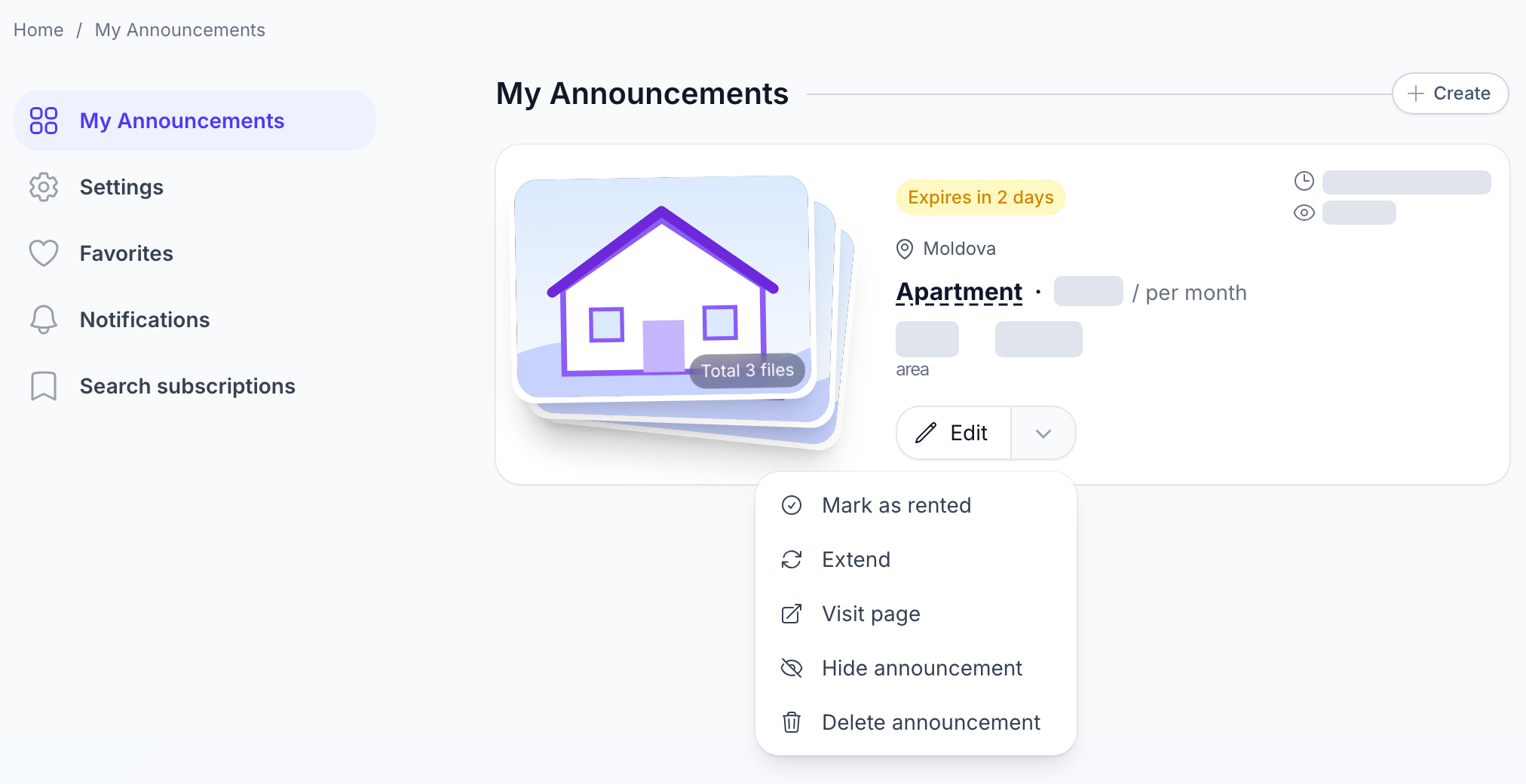
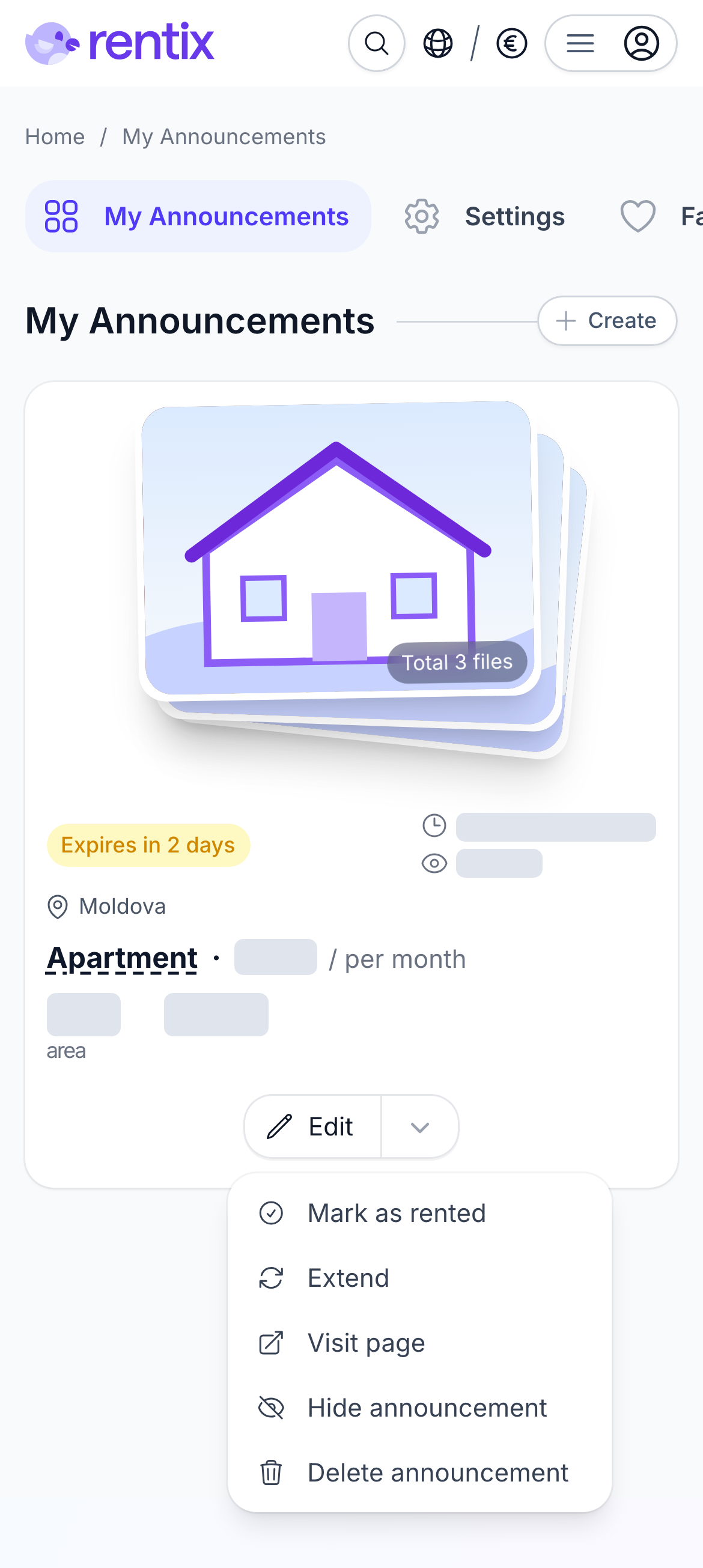
Select “Edit” on a listing card to change its text, photos or other details. The arrow beside it opens more actions. What you see depends on the listing's status: an active listing can be hidden, while a hidden one has a “Publish” button.
When the listing is about to expire
The active period depends on the property and whether it's for rent or sale. A rental apartment, for example, stays active for 35 days; an apartment for sale stays active for 45. During the last three days, the card shows an expiry warning and “Extend” appears in the menu. Extending is free.
If the listing has expired, select “Republish”. It's free, and you can bring the listing back to search whenever the property is available again. Rentix can remind you before it expires if you've enabled notifications. See how to choose a notification channel.
Republishing brings a listing back to search, but does not move it higher in the results. Unlike most listing platforms, Rentix uses a smarter, fairer search algorithm: position depends on how well the listing matches the search, its photos and how complete its information is.
Take a break or close a deal
Select “Hide announcement” if you don't want enquiries for now. The listing leaves search. When you're ready, select “Publish” to bring it back.
Found a tenant or buyer? Select “Mark as rented” or “Mark as sold”. The listing stays on your public profile to showcase your past offers, but no longer appears in search. If the deal falls through, you can republish it.
Delete a listing
“Delete announcement” removes it permanently. If you only need a break, hide it instead.